Reaching the milestone of monetizing your YouTube channel is a massive accomplishment. However, managing the banking and identity requirements inside Google AdSense can quickly turn into a bureaucratic nightmare. One of the most common and stressful predicaments creators face occurs when they need to modify their payment details, only to find the name field completely greyed out and uneditable.
If you are trying to find out how to change adsense payee name identity verification completed, you have likely already discovered that once Google verifies an identity via a passport or national identity card, the primary payee name is hard-locked for security reasons.
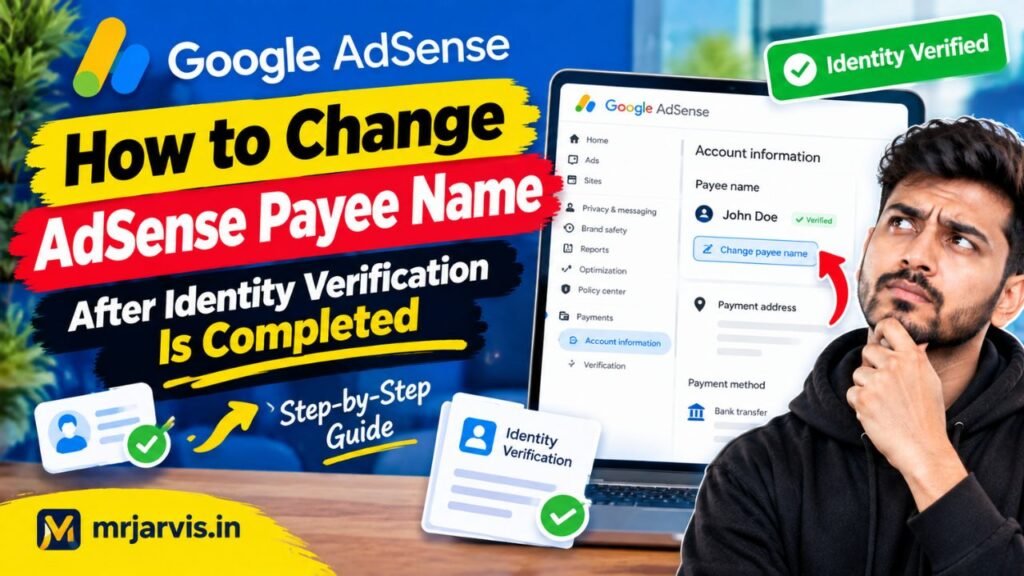
Google enforces this restriction to prevent account hijacking, unauthorized ownership transfers, and international tax fraud. Fortunately, there are approved procedures to update your payee name, whether due to a legal name change, marriage, business incorporation, or transferring the earnings to an authorized family member. Here is the definitive roadmap to resolving this issue.
Why Is the AdSense Payee Name Greyed Out?
Google AdSense implements a two-factor compliance check before disbursing earnings:
- Identity Verification (IDV): You submit a government ID verifying who operates the account.
- Address Verification (PIN): A physical PIN is mailed to the address on file.
Once Identity Verification achieves “Completed” status, the AdSense system locks the name field in your Payments Profile to match the submitted legal identification document. The pencil edit icon either disappears or renders unclickable.
Attempting to bypass this by typing over other profile details without following official Google protocols can trigger an automatic suspension on your payments profile, putting all future disbursements on hold.
Method 1: The “Add New Payments User” Technique
In many regions, Google AdSense does not allow you to overwrite an already verified name, but it does allow you to add an authorized user or establish an alternate recipient depending on your account structure.
Step-by-Step Instructions:
- Sign in to your Google AdSense dashboard.
- In the left-hand navigation panel, click on Payments > Payments info.
- Scroll to the bottom and click on Manage Settings.
- Scroll down to the section titled Payments users and click Manage payments users.
- Click + Add a new user.
- Enter the email address and contact details of the new individual or updated legal identity.
- Assign the user Primary Contact permissions and check all administrative privilege boxes.
- Accept the verification email sent to the new email address.
Important: In several jurisdictions, adding a new payment user still requires that the name match the underlying registered tax profile. If your tax profile is locked, proceed to Method 2.
Method 2: Reset Identity Verification via Google Creator Support
If your YouTube channel is an active member of the YouTube Partner Program (YPP), you possess a tool that regular website-only AdSense publishers do not: direct access to YouTube Creator Support.
Standard AdSense community forums are staffed by volunteers who cannot alter database records. YouTube Creator Support, however, can coordinate with Google’s internal billing specialists to manually reset your identity verification status.
How to Contact Creator Support:
- Open YouTube Studio on a desktop browser.
- In the top-right corner, click the Chat with Creator Support icon (or click the ? Help icon to open the contact panel).
- Select Monetization & AdSense as your query category.
- When connected with the representative, state your situation clearly:
- Explain that you have undergone a legal name change or need to update your payee information due to structural account changes.
- Explicitly ask: “Could you please coordinate with the AdSense internal team to reset the Identity Verification status on my linked AdSense account so I can submit my updated government documentation?”
- The agent will open an internal escalation ticket and email you a secure link where you can re-upload your valid government-issued ID matching the new payee name.
Method 3: Transitioning from Individual to Business Profile
A frequent reason creators attempt to change their payee name is because they have registered a formal corporate entity (such as an LLC, Private Limited company, or Partnership) and want payments issued to their business bank account.
Google AdSense has a rigid rule regarding account types: You cannot directly convert an “Individual” AdSense account into a “Business” AdSense account.
The Safe Solution:
- Register a brand-new Google Account dedicated to your business entity.
- Apply for a brand-new Business AdSense Account using your registered company name, corporate tax identification number, and business bank account details.
- Once the business AdSense account is approved, go to YouTube Studio > Earn > YouTube Partner Program Options.
- Under “AdSense Account,” click Change.
- Follow the authentication prompts to link your YouTube channel to your newly approved Business AdSense account.
This circumvents the locked individual profile entirely and routes your payouts legally to your corporate entity without risking account termination.
Required Documentation for Payee Modifications
When AdSense allows you to update or reset your details, ensure you have these documents prepared in high-resolution digital format:
| Reason for Change | Required Documentation |
| Legal Marriage / Divorce | Marriage certificate, court decree, and updated Passport/Driver’s License |
| Typographical Error | Government ID showing identical spelling and official birth date |
| Business Transition | Certificate of Incorporation, Business Tax Registration, and Authorized Signatory ID |
Conclusion
Understanding how to change adsense payee name identity verification completed requires navigating Google’s strict financial security rules. The locked payee field is not a bug; it is an intentional security safeguard designed to protect your earned revenues.
Instead of submitting mismatched banking credentials or abandoning your balance, rely on the official pathways: leverage YouTube Creator Support chat to request a manual identity verification reset, or cleanly migrate your channel to a properly classified Business AdSense account. Following these steps preserves your channel’s monetization status while ensuring your earnings transfer smoothly to your verified bank account.