There are few sights more disruptive to digital marketers, media buyers, and small business owners than opening Meta Ads Manager to find a red warning banner: “Ad account disabled. We noticed suspicious activity on your payment method and have disabled your ad account to protect your financial details.”
Active ad sets pause immediately, lead flow dries up, and ongoing marketing campaigns freeze. What makes this penalty particularly baffling is that it often strikes entirely legitimate advertisers who simply attempted to add a valid, funded credit card or update their billing threshold.
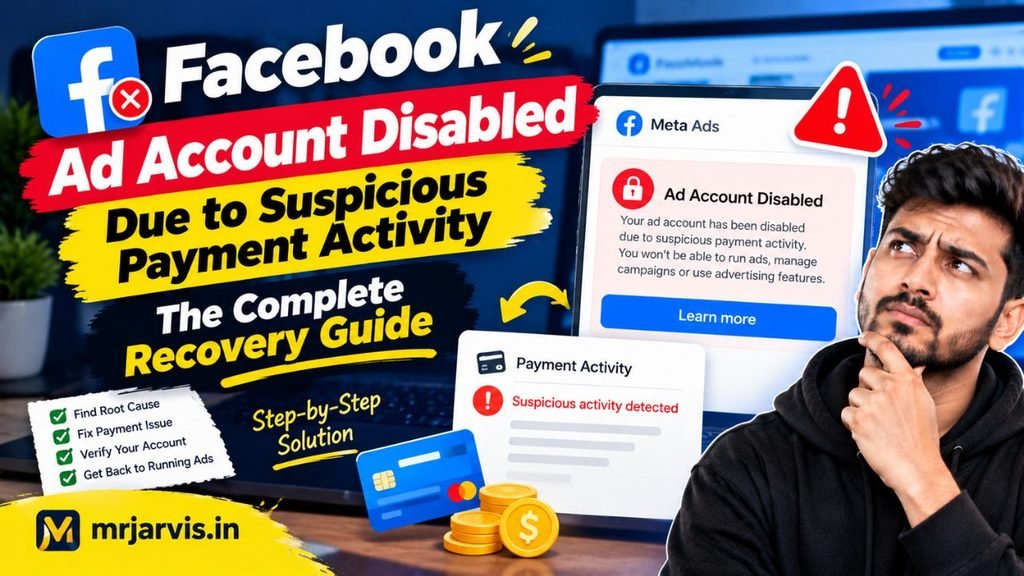
If you are dealing with a facebook ad account disabled suspicious payment activity flag, your financial credentials triggered an automated fraud-prevention tripwire. In this comprehensive guide, we examine the underlying causes of this billing ban, how to clear security flags with your bank, and the exact steps to appeal and restore your ad account.
Why Does Meta Flag Payment Methods as “Suspicious”?
Meta’s advertising payment platform processes hundreds of millions of dollars in automated micro-transactions every day. To combat the rampant use of stolen credit cards and unauthorized financial routing, Meta employs aggressive automated fraud-detection systems.
Your ad account can be flagged for suspicious billing activity due to several specific triggers:
- Cardholder Name vs. Ad Account Admin Mismatch: If the name embossed on the credit card does not match the legal name on the Facebook profile administering the ad account, automated scanners treat the transaction as unauthorized.
- Billing Address Discrepancies: Entering a postal zip code or street address during card setup that differs from your card issuer’s billing records prompts an immediate fraud alert.
- Foreign IP Addresses and VPN Usage: Attempting to add a payment method while connected to an active VPN, proxy, or while traveling abroad triggers a geolocation mismatch between your IP address and the card’s issuing bank.
- Prepaid and Virtual Cards: Meta frequently blocks prepaid debit cards, virtual single-use debit cards, and fintech cards that do not support international recurring 3D Secure (3DS) handshakes.
- Rapid Multiple Card Declines: If you attempt to add two or three different cards within an hour and each one fails due to bank security holds, the ad account is locked automatically for security purposes.
Step 1: Pre-Authorize International Transactions with Your Bank
Before submitting any appeal or trying to re-enter your financial details, you must address the issue at the banking level.
The overwhelming majority of initial card declines on Meta Ads occur because your card issuer’s automated fraud system blocks Meta’s verification ping. Meta frequently tests a card by initiating a temporary authorization hold (typically $1.00 USD or local equivalent). If your bank blocks international e-commerce or recurring software debits, the transaction fails, and Meta flags the attempt as “suspicious.”
Actions to Take:
- Call the customer service number on the back of your card.
- Speak to the fraud or card authorization department.
- Explicitly request that they whitelist international and recurring online transactions from “Meta Platforms” or “Facebook Ireland/Facebook Inc.”
- Ensure your card has 3D Secure (OTP / SMS verification) active for cross-border payments.
Step 2: Complete the Temporary Authorization Hold Verification
In many cases, Meta does not shut down your account permanently; instead, it places it in a verification hold until you prove ownership of the payment instrument.
How to Complete Authorization Verification:
- Log into Meta Ads Manager.
- Navigate to Billing & Payments.
- Look for a banner beside your flagged payment method reading “Verification Needed” or “Verify Card”.
- Click Verify Card. Meta will push a micro-charge of roughly $1.00 to $2.00 to your card account.
- Open your mobile banking app or online account statement and find the pending transaction.
- Look for a 4-digit alphanumeric code attached to the transaction description (for example:
FB*1234orMETA*5678). - Return to Meta Ads Manager, type the 4-digit code into the prompt, and submit.
Once this micro-charge is confirmed, the fraud detection system verifies that you have real-time access to the bank statement, and the ad account restriction is often lifted automatically.
Step 3: Submitting the Official Billing Review Appeal
If your account is fully disabled and the self-service verification screen is unavailable, you must submit a formal appeal through Meta’s specialized payment review portal.
Caution: Avoid filing multiple appeals simultaneously. Submitting overlapping tickets pushes your support case to the back of the queue.
Steps to Appeal:
- Visit the official Facebook support appeal portal:
[facebook.com/help/contact/391647094929792](https://facebook.com/help/contact/391647094929792)(Request Review of Payment Method / Disabled Ad Account). - Select the affected Ad Account ID from the drop-down menu.
- Answer the identity verification questions:
- Are you the owner of the payment method? (Select Yes).
- Confirm whether you are traveling or accessing the account from a new location.
- Draft a Concise, Professional Explanation:
- Clearly state that you are the authorized cardholder.
- State that you have contacted your bank and pre-authorized all charges from Meta Platforms.
- Confirm that your billing address matches your banking statement exactly.
- Upload Proof of Payment Ownership:
- Attach an official bank statement showing the cardholder’s name, billing address, and bank logo.
- Redact sensitive details: blur out the middle 8 digits of your card number and your account balance, leaving only the cardholder’s name, billing address, and the last 4 digits visible.
Preventing Future Payment Flags
| Preventive Practice | Why It Protects Your Account |
| Avoid Virtual/Prepaid Cards | Use standard Visa/Mastercard/Amex credit or debit cards linked to established banks. |
| Turn Off VPNs During Setup | Ensures your IP address matches the geographic country of the card’s issuing bank. |
| Maintain Account Balance | Ensure your bank account maintains sufficient funds well before your billing threshold is billed. |
| Add a Backup Payment Method | Keeps your ads running if your primary card experiences a temporary processing glitch. |
Conclusion
Encountering a facebook ad account disabled suspicious payment activity notification is a significant obstacle, but it is fundamentally a protective security reaction triggered by Meta’s fraud algorithms.
By contacting your bank to whitelist Meta transactions, completing the 4-digit temporary micro-charge verification, disabling VPN proxies during financial updates, and submitting clean documentation through the official billing appeal portal, you can systematically remove payment holds and get your ad campaigns back up and running.