Opening Meta Business Suite to find your monetization dashboard slapped with a yellow or red policy violation is one of the most disheartening experiences for digital publishers. Overnight, earnings from In-Stream Ads, Performance Bonuses, and Ads on Reels grind to a dead halt.
Among all policy violations, Unoriginal Content (often grouped with Limited Originality of Content) is by far the most prevalent penalty issued across the platform.
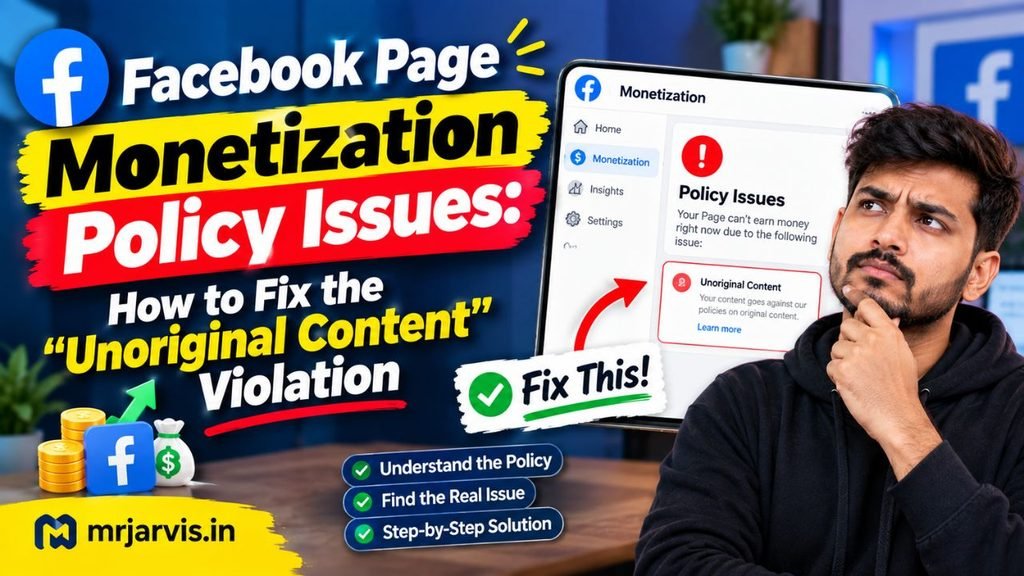
If you are dealing with this strike and searching for an actionable facebook page monetization policy issues unoriginal content fix, this guide details the exact recovery protocol. We will cover what causes Meta’s detection algorithms to flag your assets, the mandatory cleanup process, and how to request a manual review without permanently jeopardizing your eligibility.
Understanding Meta’s “Unoriginal Content” Violation
Meta’s Partner Monetization Policies clearly stipulate that content creators may only monetize material that they either created themselves or substantially modified to add tangible creative value.
The penalty usually triggers under three specific scenarios:
- Aggregation Without Commentary: Compiling clips from TikTok, YouTube, or television shows without providing transformative analysis, unique voiceovers, or meaningful edits.
- Audio Fingerprint Clashes: Using background tracks that are licensed for personal use but unauthorized for commercial, monetized social feeds.
- Cross-Platform Syndication Matching: Re-posting your own videos originally uploaded to other platforms while retaining third-party watermarks (such as the TikTok or CapCut end cards), which Meta’s automated vision system detects instantly.
- Duplicate File Hashes: Using stock footage segments that have already been uploaded across thousands of other Facebook pages without significant structural modification.
Even if you genuinely own the visual assets, automated content filters will flag videos if your visual presentation closely mimics known programmatic content templates.
Step 1: Conduct a Ruthless Content Audit
Before you even think about touching the “Request Review” button, you must clean your entire page catalog. If you submit an appeal while violating media remains active on your timeline, Meta’s system will reject your claim—often locking you out of re-appealing for 90 days.
What Must Be Deleted Immediately:
- Watermarked Media: Any video containing platform logos, third-party user tags, or automated video editor watermarks.
- Compilation Videos: Any montage or compilation featuring clips you did not shoot directly with your own cameras.
- Unlicensed Music Tracks: Videos using commercially licensed audio tracks from the native library that are marked restricted for commercial ad breaks.
- Shared/Cross-Posted Feeds: Shared posts from other Facebook pages or external websites that populate your primary feed.
Crucial Rule: Archiving or switching videos to “Private” does not work. Meta’s policy compliance crawlers evaluate all assets stored within your page’s server container, regardless of public visibility. You must permanently delete every questionable post from the past 90 to 180 days.
Step 2: Clear Meta Business Suite Drafts and Scheduled Posts
A little-known technical cause of repeated policy strikes is the backlog sitting in your page’s Content Planner.
- Navigate to Meta Business Suite.
- Click on Content > Planner.
- Inspect both the Scheduled and Drafts tabs.
- Delete any drafts, failed uploads, or scheduled items dating back several months.
Occasionally, a draft containing flagged audio or imagery remains indexed in Meta’s system cache, continuing to trigger policy warnings even after your main feed appears clean.
Step 3: Re-Establish Human Authenticity Through Live Streaming
Meta’s enforcement is largely carried out by automated machine learning models that struggle to distinguish between a faceless content bot and an authentic digital creator. To restore your page’s trust rating, you must feed the algorithm unambiguous proof of authentic, original human activity.
The single most effective method to achieve this is through Native Live Streaming.
The 14-Day Restoration Protocol:
- Frequency: Host a live stream at least 4 to 5 times per week for two consecutive weeks.
- Duration: Each live session must run for a minimum of 15 to 25 continuous minutes.
- Format: Use a direct webcam or smartphone camera showing your actual face and surroundings. Speak organically, discuss your niche, address viewers by name, and reply to comments in real time.
- Zero Pre-Recorded Media: Do not stream pre-recorded loops using third-party software like OBS or Restream. Use the native Facebook app or business camera to capture raw, uncompressed live video.
These live broadcasts inject clean, verifiable biometric and behavioral signals into your page’s metadata profile, counteracting automated flags of bot-driven aggregation.
Step 4: How to Submit the Appeal Correctly
Once you have deleted all suspect assets, cleaned out your drafts, and completed at least 7 to 10 authentic live broadcasts, your page is ready for official re-evaluation.
Steps to Submit Your Request:
- Open Meta Business Suite on a desktop browser.
- From the left sidebar, click on Monetization.
- Under the status panel, click Policy Issues.
- You will see the specific violation listed (e.g., “Unoriginal Content” or “Limited Originality of Content”).
- Click on the button labeled Request Review (or Request Another Review).
- A confirmation dialog will prompt you to certify that your page complies with Meta Partner Monetization Policies. Check the confirmation box and submit.
Warning: Do NOT submit this form if you have unresolved questions about any video remaining on your timeline. An unsuccessful appeal can lead to a 90-day review lockout or permanent demonetization.What to Expect After Submitting
Review turnaround times vary depending on whether the appeal is evaluated by an automated tier-two scan or forwarded to a human review queue:
- Standard Decision Window: 7 to 14 business days.
- Secondary Delays: Up to 30 days during high-volume periods or major policy updates.
During this waiting window, continue publishing 100% original, self-recorded content and hosting weekly live streams. Do not pause your activity; an active, compliant page demonstrates ongoing reliability and healthy audience engagement.
Conclusion
Successfully implementing a facebook page monetization policy issues unoriginal content fix requires patience and strict adherence to platform standards. The violation is rarely a personal penalty; it is an automated flag indicating that your timeline matched Meta’s duplicate content fingerprints.
By aggressively purging flagged and watermarked videos, clearing hidden drafts, establishing indisputable human authorship through live broadcasts, and submitting your appeal only after your profile is completely compliant, you can systematically remove policy strikes and restore your monetization streams back to full health.